
Proxylang is a cloud-based, no-code website translation service that makes any website readable in 77 languages without requiring developers or plugins. For Florida businesses, this means you can launch multilingual pages, local search visibility, and translated live chat in under a minute. This guide covers how to localize your site, how to handle customer conversations in their native language, and how to verify that your new pages are actually found by search engines.
Multilingual Website Localization
Website localization is the process of adapting a website's content, layout, and metadata to meet the linguistic and cultural expectations of a specific target market. Unlike simple translation, which only swaps words, localization ensures that the entire user experience feels native to the visitor. For a Florida business targeting international customers, this means your product descriptions, navigation menus, and legal pages must all be available in the visitor's preferred language.
How the No-Code Setup Works
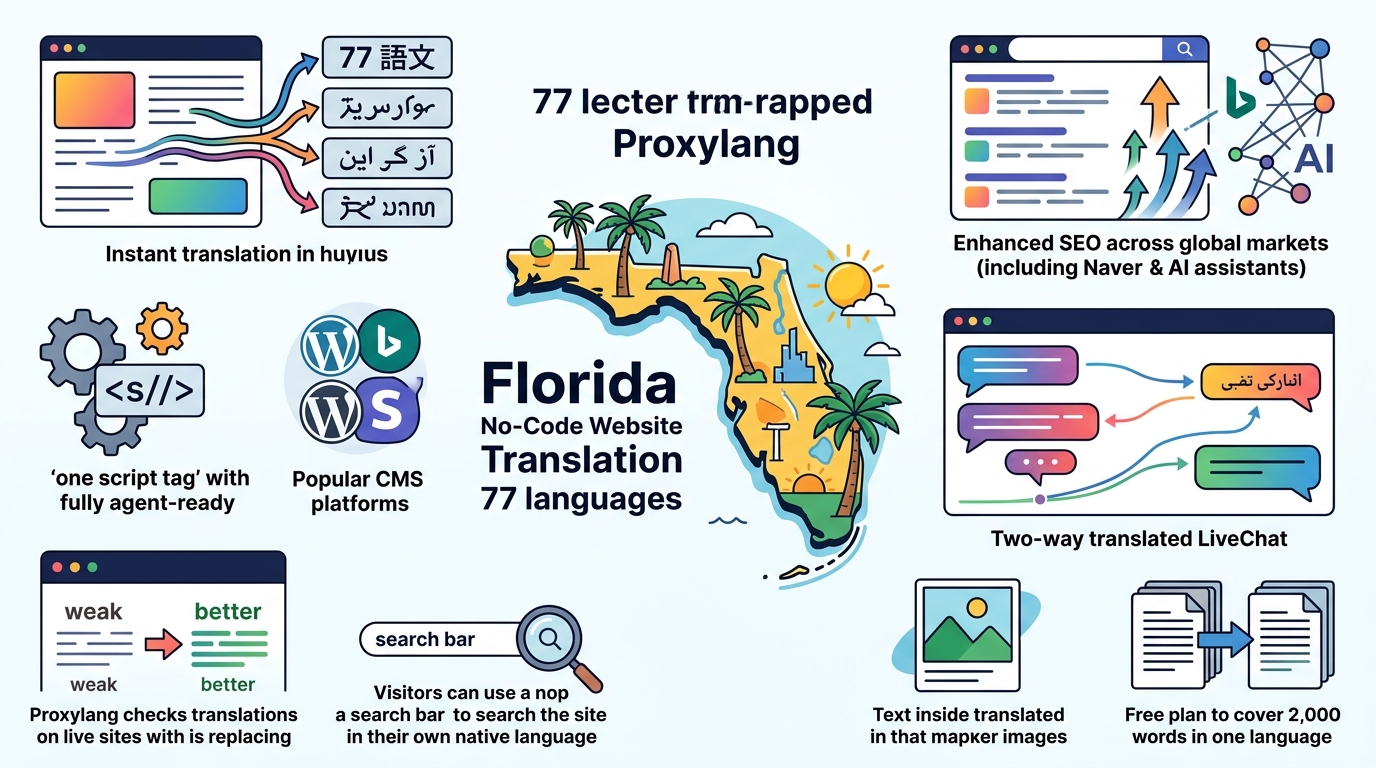
Proxylang operates as a translation layer that sits in front of your existing website. You do not need to rebuild your site or hire a developer. The setup involves adding a single line of code, known as a script tag, to your website's header. This works on any platform, including WordPress, Shopify, Wix, Squarespace, and custom-built sites. Once the script is live, a language switcher appears on your site, allowing visitors to choose from 77 supported languages.
Handling Dynamic Content
One of the biggest challenges in localization is keeping content up to date. Traditional methods require exporting content, translating it, and re-importing it every time you make a change. Proxylang handles this automatically. When you publish a new blog post or update a product description, the translation layer detects the change and translates it the first time a visitor requests the page in a new language. This ensures that your site never looks abandoned or half-translated.
Preserving Brand Identity
Machine translation can sometimes produce awkward phrasing or mistranslate brand names. Proxylang includes a glossary feature that allows you to pin specific terms, such as company names, product SKUs, or slogans, so they remain unchanged in every language. You can also use the Live Editor to manually adjust any sentence that does not sound right to you. This gives you full control over your brand voice while still benefiting from the speed of automated translation.
Live Chat Translation
Live chat translation is a real-time communication feature that allows business owners and customers to converse in their own languages while the system translates the messages instantly. This removes the language barrier during the sales process, which is critical for closing deals with international clients. Without this feature, a customer might abandon their inquiry simply because they cannot understand the reply or are afraid of making a mistake in their message.
How Two-Way Translation Works
When a visitor opens the chat window, they see the interface in their selected language. If they type a message in Spanish, for example, the Proxylang system translates it into English before it reaches your inbox. You read the English message and type your reply in English. The system then translates your reply into Spanish before the visitor sees it. Both sides of the conversation are translated as you type, so there is no delay or need for manual intervention.
Managing Multiple Markets
For businesses operating in multiple regions, managing separate chat inboxes for each language is inefficient. Proxylang consolidates all conversations into a single inbox. You can invite unlimited agents to your account, and each agent can choose which language they prefer to read and write in. This means you do not need to hire a Spanish speaker to answer Spanish chats; any agent on your team can handle the conversation in English, and the system handles the translation for the customer.
Search Engine Visibility
Having a translated website is not enough if search engines cannot find it. Multilingual SEO is the practice of ensuring that your translated pages are indexed and ranked in local search engines. Proxylang serves each language as a separate, indexable page with its own URL, such as /es/ or /ja-jp/. This allows Google, Bing, Naver, and other search engines to crawl and rank your content in each language independently.
Understanding hreflang Tags
hreflang tags are HTML attributes that tell search engines which version of a page is intended for which language and region. Proxylang automatically generates and manages these tags for you. This prevents search engines from showing the wrong language version to a user and ensures that your site appears in local search results. For example, a user searching in Japanese will be directed to your Japanese page, not your English page.
Regional Search Engines
Different countries rely on different search engines. In Japan, Yahoo! Japan is a major player, but it uses Google's index, so your Google SEO efforts apply there too. In South Korea, Naver is the dominant engine and requires specific setup. Proxylang generates the necessary sitemaps and metadata to help your site get indexed by these regional engines. This is a critical step for businesses targeting Asian markets, where local search visibility is essential for trust and conversion.
Key Takeaways
- Proxylang is a no-code solution that adds 77 languages to any website with a single script tag.
- The service automatically translates new and updated content, eliminating the need for manual re-imports.
- Live chat translation allows your team to communicate with customers in their native language without hiring multilingual staff.
- Each language version of your site has its own indexable URL, which is crucial for local SEO.
- You can pin brand names and terms in a glossary to ensure they are never mistranslated.
- The Live Editor allows you to manually correct any translation to match your brand voice.
- Setup takes about 60 seconds and works with all major website builders and CMS platforms.
Frequently Asked Questions
Do I need a developer to set up Proxylang?
Will my website slow down with the translation script?
No. Proxylang uses a global edge network to cache translated pages. This means that once a page is translated, it is served quickly from a server close to the visitor. The script is lightweight and does not significantly impact your site's load time.
Can I edit the translations myself?
Yes. The Live Editor allows you to click on any text on your website and change the translation. Your edits are saved and become the default for that text. This is useful for fixing awkward phrasing or ensuring specific terms are used correctly.
Does it work with e-commerce stores?
Yes. Proxylang works with Shopify, WooCommerce, and other e-commerce platforms. It translates product titles, descriptions, and category names. Note that prices and currency are not converted automatically; you should set your currency preferences in your store's settings.
How does the pricing work?
Pricing is based on the number of words you translate and the number of languages you want to offer. Words are counted once and stored permanently, so you do not pay again for the same content. There is a free plan available for testing, and paid plans start at a low monthly rate.
Can I cancel my subscription at any time?
Yes. You can cancel your subscription from your dashboard at any time. Your access continues until the end of your current billing period. After cancellation, your translated pages will continue to be served from cache for one month, giving you time to plan your next steps.
Conclusion
Going global does not have to be a complex, expensive project. With Proxylang, Florida businesses can make their websites accessible to customers in 77 languages, improve their local search visibility, and communicate with international clients in real time. The no-code setup, automatic content updates, and two-way live chat translation make it an efficient solution for any company looking to expand its reach. To get started, you can add the script tag to your site and see the results in under a minute.