
Server-Side vs Client-Side Translation: Search Engine Indexing Guide
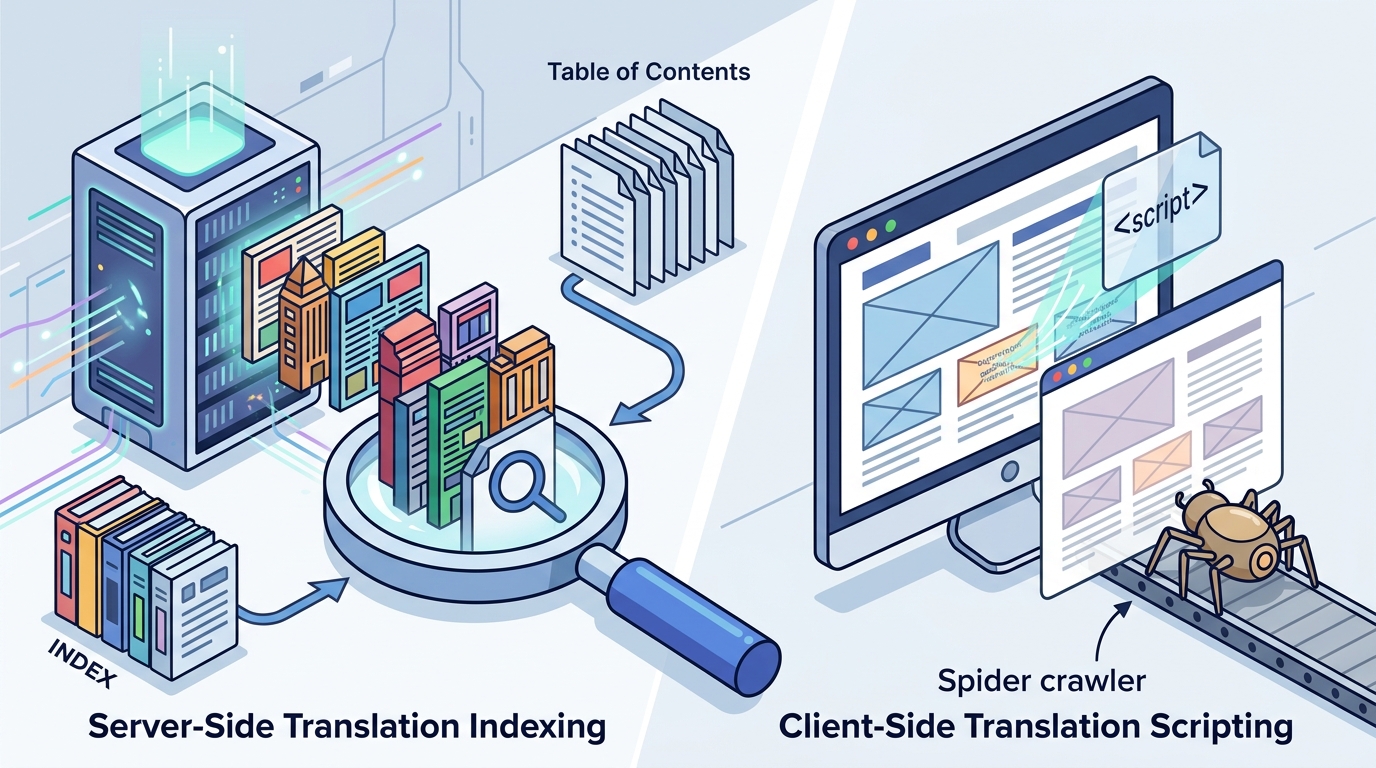
Server-side translation indexes better than client-side scripts because search engines receive fully rendered HTML at unique URLs. Client-side scripts modify text in the browser, leaving the original source language visible to crawlers. This guide explains the technical differences, how to verify indexing, and how to choose the right architecture for global growth.
How to Choose: Server-Side vs Client-Side
Choosing between server-side and client-side translation depends on your primary goal. If your goal is organic search traffic in new markets, server-side translation is the only viable option. Client-side scripts are useful for user experience but do not create indexable content. A translation proxy is a server-side method that fetches your page, translates the HTML, and returns it to the crawler. This ensures the search engine sees the target language text directly.
The Indexing Gap
Client-side translation happens after the page loads. The search engine crawler fetches the original HTML, which contains the source language. Even if the browser renders the translated text, the crawler has already indexed the source language. Server-side translation changes the HTML before it is served. The crawler sees the translated text and the unique URL for that language. This creates a distinct index entry for each language.
Hybrid Approaches
Some platforms offer a hybrid mode. In this setup, human visitors see the client-side widget for instant switching. Search engines receive the server-rendered translated HTML. This provides the best of both worlds. Visitors get a fast, seamless experience, and search engines get indexable content. Proxylang offers this hybrid mode on its Lite plan and above, allowing you to serve translated pages to bots while keeping the script tag for users.
What to Ask Before Committing
Before selecting a translation tool, ask specific technical questions. Do not accept vague promises about SEO. Ask if the tool generates unique URLs for each language. Ask if the translated pages are served as real HTML or rendered via JavaScript. Ask if the tool supports hreflang tags automatically. These tags tell search engines which language version of a page to show to users in specific regions.
Technical Questions
Business Questions
Ask how new content is handled. If you publish a new blog post, does it get translated automatically? Server-side tools often translate new content on the first request. Client-side tools may require manual updates. Ask about the cost structure. Some tools charge per word, others per page view. Understanding the billing model helps you predict costs as your site grows.
How to Verify Indexing Claims
Do not trust marketing claims. Verify that your translated pages are actually indexed. Use the site: operator in Google Search. Type site:yourdomain.com/ja-jp/ to see if Japanese pages appear in the results. If no results appear, the pages are not indexed. Check the page source. View the source code of a translated page. If you see the source language text in the HTML, it is client-side. If you see the target language text, it is server-side.
Search Console Checks
Use Google Search Console to monitor indexing. Look for coverage reports for each language subdirectory. Check for errors or warnings. If the tool claims to handle SEO, it should submit sitemaps for each language. Verify that hreflang tags are present and correct. Use the International Targeting report in Search Console to see if Google is reading the tags properly. This report shows if there are any issues with your hreflang implementation.
Browser DevTools
Open your browser developer tools. Go to the Network tab. Load a translated page. Look at the HTML response. If the HTML contains the translated text, the translation is server-side. If the HTML contains the source language and a script tag, it is client-side. This is the most direct way to verify how a tool works. It takes less than a minute and gives you the definitive answer.
How Server-Side Translation Works
Server-side translation happens on the server before the page is sent to the browser. The process follows a specific order. First, a visitor or crawler requests a translated URL, such as /es/pricing. The request hits the translation proxy. The proxy fetches the original page from your server. It extracts the text from the HTML. It translates the text using an AI engine. It writes the translated text back into the HTML. It returns the translated page to the requester. The result is cached at the edge for fast delivery.
The Proxy Architecture
A translation proxy sits between your visitors and your website. It does not modify your site. It intercepts requests for translated URLs. It fetches the real page from your origin server. It translates the content. It returns the translated HTML. Your site remains unchanged. You do not need to install plugins or modify your codebase. This makes it easy to add and remove translation without engineering effort. Proxylang uses this proxy architecture to provide full server-side translation on its Pro plan and above.
Caching and Performance
Translated pages are cached at the edge. The first request for a page in a new language triggers the translation. This takes a few seconds. Subsequent requests are served from the cache. This is instant. Caching ensures that your site remains fast. It also reduces the load on your server. The translation happens once, and the result is stored. This is efficient and cost-effective. It ensures that search engines get a fast response when they crawl your translated pages.
What It Costs
Costs depend on the architecture and the billing model. Client-side tools are often cheaper because they do not require server-side processing. However, they do not provide indexing. Server-side tools cost more because they use compute resources to translate and serve HTML. The cost is driven by the number of words translated and the number of languages served. Some tools charge per word, others per page view. It is important to understand what is included in the price.
Word Count vs Page Views
Hidden Costs
What Goes Wrong
Common mistakes include assuming client-side translation is enough for SEO. This is the most expensive mistake. You spend money on a tool that does not help you rank. Another mistake is not verifying indexing. You assume the tool works, but the pages are not indexed. A third mistake is ignoring hreflang tags. Without them, search engines may show the wrong language version to users. This leads to a poor user experience and lower rankings.
Technical Failures
Technical failures can happen if the tool does not handle dynamic content well. If your site uses JavaScript to load content, the translation tool may not see it. This results in untranslated sections. Check how the tool handles AJAX and API calls. It should translate content that is loaded dynamically. Another failure is broken layouts. Translated text can be longer or shorter than the source text. This can break your design. Server-side tools should handle this, but you should still test your layouts. Check buttons, headings, and navigation menus in each language.
SEO Failures
SEO failures include duplicate content issues. If you serve the same content in multiple languages without proper tags, search engines may see it as duplicate content. This can hurt your rankings. Use hreflang tags to tell search engines that the pages are different languages of the same content. Another failure is not submitting sitemaps. If you do not submit a sitemap for each language, search engines may take longer to discover the new pages. Use a tool that automatically generates and submits sitemaps. This ensures that your translated pages are indexed quickly.
Versus Alternatives
There are three main alternatives to server-side translation. The first is manual translation. This is expensive and slow. It is only viable for small sites with a few pages. The second is building a separate site for each language. This is complex and hard to maintain. You need a separate content system for each language. The third is client-side translation. This is easy to set up but does not help with SEO. Server-side translation is the best option for most businesses. It is automated, scalable, and SEO-friendly.
Comparison Table
| Feature | Server-Side (Proxy) | Client-Side (Script) | Manual Translation |
|---|---|---|---|
| Indexable by Search Engines | Yes | No | Yes |
| Unique URLs per Language | Yes | No | Yes |
| Setup Time | Minutes | Minutes | Weeks/Months |
| Maintenance Effort | Low | Low | High |
| Cost | Medium | Low | High |
| SEO Benefit | High | None | High |
When to Use Each
Use server-side translation if you want to rank in search engines in multiple languages. Use client-side translation if you only care about user experience and do not need SEO. Use manual translation if you have a very small site and need perfect, human-written copy. For most businesses, server-side translation is the best balance of cost, effort, and SEO benefit. It allows you to scale to many languages without the high cost of manual translation.
For a Specific Situation
The best choice depends on your specific situation. If you are an e-commerce store, server-side translation is critical. You need to rank for product searches in multiple languages. If you are a blog, server-side translation helps you reach a global audience. If you are a local business, client-side translation may be enough if you do not care about international SEO. Consider your goals. If your goal is to sell to customers in other countries, you need server-side translation. If your goal is to make your site accessible to visitors who speak other languages, client-side may suffice.
E-Commerce Example
For an e-commerce store, product pages are the most important. These pages need to be indexed in each language. Server-side translation ensures that product pages have unique URLs and are indexed. This allows you to rank for product keywords in multiple languages. Client-side translation would not help you rank. You would miss out on a significant amount of traffic. Proxylang is designed for e-commerce, translating product pages, collections, and reviews automatically.
Content Site Example
For a content site, blog posts are the main asset. Server-side translation allows you to reach readers in other languages. It creates a global audience. Client-side translation would only help readers who are already on your site. It would not help you attract new readers from other countries. If your goal is to grow your audience globally, server-side translation is the right choice. It allows you to publish content once and reach readers in many languages.
Rules and Protections
There are rules and protections to consider. First, ensure that the tool complies with data protection laws. Check if they have a Data Processing Agreement. This is important if you are in the EU or UK. Second, ensure that the tool does not store your data unnecessarily. Check their privacy policy. Third, ensure that you can cancel at any time. Check the refund policy. A reputable tool should have clear terms and conditions. It should protect your data and your rights as a customer.
Data Privacy
Data privacy is a key concern. The translation tool will process your website content. This may include personal data. Ensure that the tool has appropriate safeguards. Check if they use subprocessors. If they do, ensure that they are compliant with data protection laws. Proxylang has a Data Processing Agreement and a list of subprocessors. This ensures that your data is handled securely. It also ensures that you are in compliance with GDPR and other laws.
Contractual Protections
Contractual protections include the right to cancel. You should be able to cancel your subscription at any time. Check if there are any penalties for early cancellation. Check if you can export your data. You should be able to get your content back if you leave the tool. A reputable tool should allow you to export your data in a standard format. This ensures that you are not locked in. It gives you the freedom to switch tools if needed.
Local Specifics
Local specifics matter for SEO. Different search engines are dominant in different regions. In the US, Google is dominant. In China, Baidu is dominant. In Korea, Naver is dominant. Each search engine has different requirements. For example, Baidu requires an ICP license for .cn domains. Naver requires a manual registration. A good translation tool should handle these local specifics. It should generate the correct tags and sitemaps for each region. It should help you get indexed in the local search engines.
Regional Search Engines
Consider the search engines in your target markets. If you are targeting Japan, Yahoo! Japan is important. It runs on Google's index, so it behaves like Google. If you are targeting Korea, Naver is important. It has its own index. You need to submit a sitemap to Naver. If you are targeting China, Baidu is important. It has its own index and requires an ICP license. A tool that handles these specifics will save you time and effort. It will ensure that your pages are indexed in the right search engines.
Language Specifics
Timing
Timing is important for SEO. The sooner you get your translated pages indexed, the sooner you start getting traffic. There is no penalty for adding new pages. Search engines will index them as soon as they discover them. However, there is a delay. It can take a few days to a few weeks for new pages to be indexed. This delay is shorter if you submit a sitemap. It is also shorter if you use a tool that handles SEO well. Start as soon as possible. The earlier you start, the earlier you start getting traffic.
Seasonal Considerations
Consider seasonal trends. If you are in a seasonal industry, time your launch to coincide with peak demand. For example, if you sell winter clothing, launch your translated site in the fall. This ensures that you are ready when demand peaks. If you are in a non-seasonal industry, launch as soon as you are ready. There is no specific time of year that is better than another. The key is to be consistent. Keep publishing new content in all languages. This keeps your site fresh and relevant to search engines.
Competitive Timing
Consider your competitors. If your competitors are already ranking in other languages, you need to move quickly. The sooner you get your pages indexed, the sooner you can compete. If your competitors are not ranking in other languages, you have a chance to get ahead. Be the first to rank in a new market. This can give you a significant advantage. Use a tool that helps you get indexed quickly. This gives you the best chance of getting ahead of your competitors.
Results Over Time
Results take time. You will not see immediate traffic from your translated pages. It can take a few months for your pages to start ranking. This is normal. SEO is a long-term game. The key is to be patient and consistent. Keep publishing new content. Keep optimizing your pages. Over time, your pages will start to rank. You will start to get traffic from search engines in other languages. This traffic will convert into customers. The return on investment will grow over time.
Measuring Success
Measure your success using analytics. Track traffic from each language. Track conversions from each language. This will show you which languages are working best. It will also show you where you need to improve. Use this data to make decisions. If a language is not working, you can adjust your strategy. If a language is working well, you can invest more in it. Analytics are essential for measuring the success of your translation efforts. They give you the data you need to make informed decisions.
Long-Term Growth
Long-term growth comes from consistency. Keep your site updated. Keep your content fresh. Keep your translations accurate. This ensures that your site remains relevant to search engines. It also ensures that your users have a good experience. Over time, your site will build authority in each language. This will lead to higher rankings and more traffic. The key is to not give up. SEO is a marathon, not a sprint. Stay committed to your strategy. The results will come.
Key Takeaways
- Server-side translation indexes better than client-side scripts because search engines receive fully rendered HTML.
- Client-side scripts modify text in the browser, leaving the original source language visible to crawlers.
- Hybrid modes offer the best of both worlds, serving translated HTML to bots and widgets to users.
- Verify indexing by checking the page source and using the site: operator in search engines.
- Costs depend on the billing model, with word-based billing often being more predictable for content-heavy sites.
- Common mistakes include assuming client-side translation is enough for SEO and ignoring hreflang tags.
- Local specifics matter, as different search engines have different requirements for indexing.
- Results take time, so be patient and consistent with your content and optimization efforts.
Frequently Asked Questions
Does server-side translation always index better?
Yes, server-side translation indexes better because search engines receive the translated HTML directly. Client-side translation does not change the HTML that search engines see, so it does not help with indexing.
Can I use both server-side and client-side translation?
Yes, you can use a hybrid mode. This serves translated HTML to search engines and a client-side widget to users. This provides the best of both worlds, with SEO benefits and a fast user experience.
How long does it take for translated pages to be indexed?
It can take a few days to a few weeks. Submitting a sitemap can speed up the process. Using a tool that handles SEO well can also help. The exact time depends on the search engine and the size of your site.
Do I need a separate website for each language?
No, you do not need a separate website. You can use subdirectories or subdomains on your main domain. This is simpler to manage and helps you maintain your domain authority. A translation tool can handle this for you.
How do I verify that my pages are indexed?
Use the site: operator in Google Search. Type site:yourdomain.com/ja-jp/ to see if Japanese pages appear. You can also check the page source to see if the HTML contains the translated text.
What is the cost of server-side translation?
Costs depend on the tool and the billing model. Some tools charge per word, others per page view. Word-based billing is often more predictable. Check the pricing details of the tool you are considering.
Does Proxylang offer server-side translation?
Yes, Proxylang offers server-side translation on its Pro plan and above. It also offers a hybrid mode on its Lite plan and above, which serves translated HTML to search engines.
Can I edit the translations?
Yes, you can edit the translations in a live editor. This allows you to correct any errors or adjust the tone. Your edits are saved and used for all future requests. This ensures that your translations are accurate and consistent.
Conclusion
Server-side translation is the clear winner for search engine indexing. It provides unique URLs and fully rendered HTML that search engines can crawl and index. Client-side scripts are useful for user experience but do not help with SEO. If your goal is to reach customers in other languages and rank in their local search engines, you need server-side translation. Proxylang offers a range of options, from hybrid mode to full proxy, to help you achieve your goals. Start with a free trial to see the quality of the translations. Then, choose the plan that fits your needs. Go global with confidence.