
How Many Languages Does a No-Code AI Platform Support for Instant Website Translation?
Proxylang supports 77 languages for instant website translation without requiring code changes. This guide explains the breadth of language support, the no-code setup process, and how search engine indexing works for translated pages. It covers the technical architecture, SEO implications, and practical steps for making a website multilingual in minutes.
Language Support Breadth
Proxylang supports 77 languages, covering major global markets and niche regional dialects. This breadth allows businesses to reach customers in diverse geographic locations without hiring separate translation teams for each market. The platform handles both left-to-right and right-to-left scripts, ensuring that languages like Arabic, Hebrew, and Persian are rendered with correct layout mirroring.
Major and Niche Language Coverage
The 77-language support includes high-volume languages such as English, Spanish, French, German, and Chinese. It also covers Asian markets like Japanese, Korean, and Thai, which are critical for e-commerce and tech sectors. By supporting this wide range, Proxylang enables a single website to serve a global audience. The translation engine is tuned specifically for Asian-to-Western language pairs, addressing the common issue of stiff, literal machine translation in these regions.
Handling Script and Layout Differences
Language support is not just about vocabulary; it is about visual presentation. Proxylang automatically flips page layouts for right-to-left languages. This means that navigation bars, text alignment, and image placements adjust to match the reading direction of the target audience. For left-to-right languages, the layout remains standard. This automatic adjustment ensures that the user experience feels native rather than translated.
No-Code Setup
Proxylang is designed for non-technical users, requiring only a single line of code to install. This no-code approach eliminates the need for developers to rebuild content workflows or maintain complex plugins. The setup process takes approximately 60 seconds, making it one of the fastest ways to make a website multilingual.
One-Line Script Installation
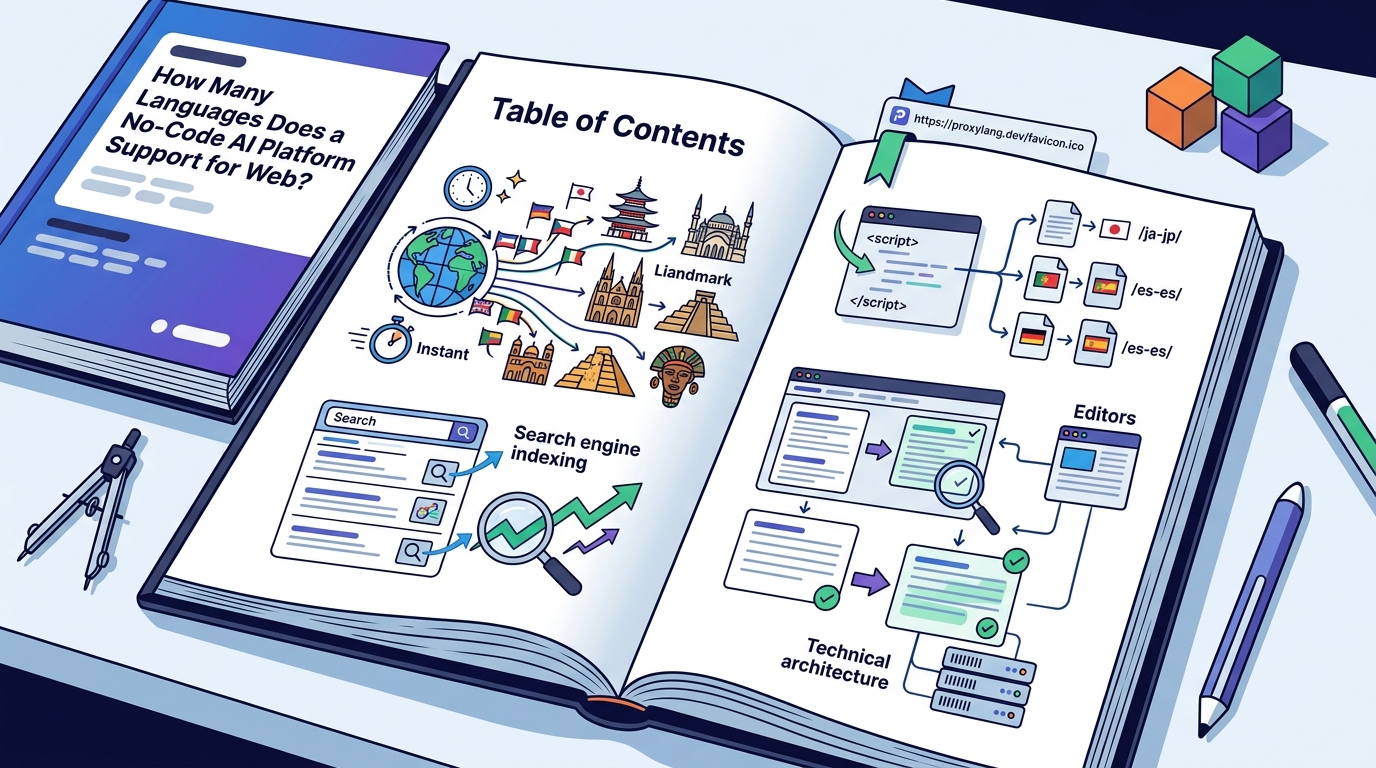
To begin, users paste a single script tag into their website's header or footer. This script connects the site to the Proxylang translation engine. Once live, a language switcher widget appears on the site, allowing visitors to select their preferred language. The platform works with any website stack, including WordPress, Shopify, Webflow, Wix, Squarespace, Framer, and custom-built sites. There is no platform lock-in, and the script can be removed at any time without affecting the core site functionality.
Automatic Content Translation
After installation, Proxylang automatically detects and translates new content. This includes blog posts, product pages, and dynamic elements fetched from APIs. There is no need to export or re-import content feeds. The system uses a lifetime word pool, meaning that once a word is translated, it is cached and not re-metered in future months. This model is more cost-effective for sites with frequent content updates compared to services that re-count words monthly.
Visual Editing and Glossary Control
While the translation is automatic, Proxylang provides a Live Editor for manual adjustments. Users can click on any text on the live page to edit the translation directly. This is useful for correcting tone or pinning specific brand terms. The glossary feature allows users to lock brand names and product terms so they remain unchanged across all languages. This ensures consistency in branding while leveraging the speed of AI translation.
Search Engine Indexing
Instant translation is only valuable if search engines can find the translated pages. Proxylang offers different connection modes to ensure that translated content is indexable by major search engines like Google, Bing, Naver, and Yandex. The choice of mode depends on the user's SEO goals and technical comfort level.
Script Tag vs. Proxy Modes
The default script tag mode translates content in the visitor's browser. While this is fast and easy, search engines may only see the original language. For full SEO benefits, Proxylang offers Hybrid and DNS Proxy modes. In Hybrid mode, visitors get instant client-side translation, while search engines receive pre-rendered HTML from the server. In DNS Proxy mode, every visitor and search engine sees the translated pages at dedicated URLs, such as /es/ or /ja-jp/. These URLs are fully indexable and inherit the authority of the main domain.
Hreflang and Sitemap Management
Proxylang automatically generates hreflang tags to signal to search engines which language version of a page is being served. It also creates separate sitemap entries for each language. This ensures that search engines crawl and index the correct version for each user's location and language preference. For markets like Korea, where Naver is the dominant search engine, Proxylang provides specific guidance and tools to ensure proper registration and indexing. This level of detail is crucial for businesses targeting specific regional markets.
AI Search Optimization
As search behavior evolves, AI assistants like ChatGPT and Perplexity are becoming primary sources for information. Proxylang ensures that translated pages are structured in a way that AI systems can easily cite. By serving clean, semantic HTML with proper metadata, the platform positions the website as a reliable source for AI-generated answers. This forward-looking approach helps businesses stay visible in the emerging landscape of generative search.
Key Takeaways
- Proxylang supports 77 languages, including major global and niche regional dialects.
- The no-code setup requires only a single script tag and takes about 60 seconds.
- Right-to-left languages are automatically mirrored to ensure correct layout.
- Hybrid and Proxy modes ensure that translated pages are indexable by search engines.
- The lifetime word pool model prevents re-metering of previously translated content.
- Users can edit translations in a Live Editor and pin brand terms in a glossary.
- Automatic hreflang tags and sitemaps are generated for each language version.
- The platform works with any website stack, including WordPress, Shopify, and custom sites.
Frequently Asked Questions
How many languages does Proxylang support?
Proxylang supports 77 languages, covering a wide range of global markets and regional dialects.
Do I need a developer to set up Proxylang?
No, the setup is no-code. You only need to paste one line of code into your website.
Will my translated pages be indexed by Google?
Yes, using Hybrid or Proxy modes, Proxylang serves real HTML pages with hreflang tags that search engines can index.
How does the pricing model work?
Pricing is based on a lifetime word pool. Words are counted once when first translated and not re-metered in future months.
Can I edit the translations myself?
Yes, the Live Editor allows you to click on any text on the page and edit the translation directly.
Does it work with right-to-left languages?
Yes, Proxylang automatically flips the layout for languages like Arabic and Hebrew.
What happens if I add new content?
New content is translated automatically the moment it goes live, with no manual export or import required.
Conclusion
Proxylang provides a comprehensive solution for businesses looking to expand globally. With support for 77 languages, a no-code setup, and robust search engine indexing features, it removes the barriers to multilingual web presence. By leveraging AI translation and providing tools for manual control, Proxylang ensures that your website is not just translated, but optimized for international success. To get started, visit the Proxylang website and try the free plan.