
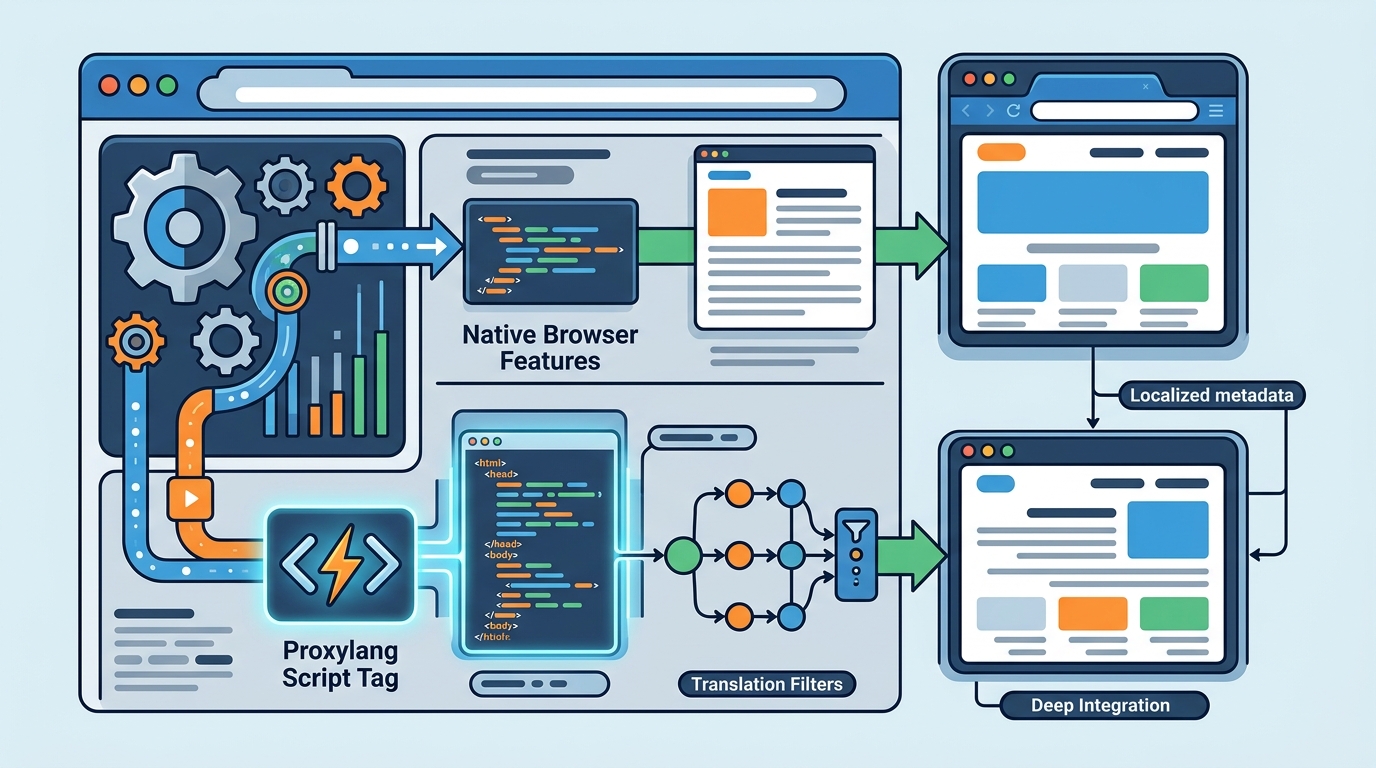
Script tag translation differs from standard browser features by intercepting page data to rewrite content before it renders, whereas browser features only adjust the display layer. This approach allows for deep structural changes, such as right-to-left layout mirroring and metadata updates, which native browser tools cannot achieve. This guide covers how dynamic content handling works, the technical differences in rendering, and why modern translation layers outperform legacy browser settings.
Dynamic Content Handling
Dynamic content handling is the process of translating text that is loaded after the initial page render, such as API responses, database queries, or user-generated comments. Standard browser features, like the built-in translation button in Chrome or Edge, operate on a static snapshot of the DOM. They translate what is visible at the moment of the request but often fail to catch content that loads asynchronously via JavaScript. This results in a fragmented experience where the main body is translated, but pop-ups, notifications, or dynamically loaded lists remain in the original language.
Asynchronous Data Interception
Modern script tag solutions, such as Proxylang, intercept network requests and DOM mutations in real-time. When a script tag is installed, it monitors the Document Object Model for changes. If new text nodes are added to the page after the initial load, the translation engine processes them immediately. This ensures that a user reading a blog post sees the comments section translated in the same language as the article, without needing to refresh the page or manually trigger a re-translation.
State Management and Caching
Browser features do not maintain a persistent state for translations across sessions in a granular way. They rely on the browser's local cache, which can be cleared or reset. In contrast, a dedicated translation layer manages a global cache. Once a string is translated, it is stored in a key-value store. If the same dynamic content appears on a different page or is reloaded, the system retrieves the cached translation instantly. This reduces latency and ensures consistency, which is critical for e-commerce sites where product descriptions or reviews might be fetched from a central database.
Technical Architecture and Rendering
Understanding the technical architecture is essential for developers and site owners. A script tag approach involves injecting a lightweight JavaScript library into the website's head or body. This library acts as a middleware between the server response and the browser's rendering engine. It parses the HTML, identifies translatable elements, and replaces the text nodes with their localized equivalents. This happens client-side, meaning the server does not need to be modified to serve different languages.
Client-Side vs Server-Side Processing
Standard browser features are entirely client-side but lack the intelligence to handle complex HTML structures. They often struggle with text that is split across multiple tags, such as a sentence where a link is embedded in the middle. A script tag solution uses multi-element sentence recognition to reassemble these fragments into a coherent sentence before translation. This prevents the awkward phrasing that occurs when a browser translates a link and its surrounding text separately. The result is a natural reading flow that respects the original intent of the copy.
Performance and Edge Caching
Performance is a common concern with client-side scripts. However, modern translation layers are optimized for speed. Translations are cached at edge locations around the world. When a user requests a page in a specific language, the edge server serves the pre-translated HTML. This means the browser does not have to wait for a JavaScript execution to translate the page. The content is already localized before it reaches the user's device. This architecture ensures that the translation layer does not significantly impact Core Web Vitals, a key factor for search engine rankings.
SEO and Indexing Implications
Search engine optimization is a critical differentiator between script tag translation and browser features. Browser-based translation is invisible to search engine crawlers. When Googlebot or Bingbot crawls a website, they see the original language content. They do not see the translated version that a human user might see via the browser's built-in feature. This means that a site relying solely on browser features has no presence in search results for other languages. Users searching in Spanish, for example, will not find the English-only site because the search engine does not know a Spanish version exists.
Indexable URLs and Hreflang Tags
A robust script tag solution, particularly when used in hybrid or proxy modes, creates indexable URLs for each language. For instance, a page at /about might also exist at /es/about. These URLs are served as real HTML pages that search engines can crawl and index. Additionally, the system automatically generates hreflang tags. These tags tell search engines which version of a page is intended for which language and region. This is a technical requirement for multilingual SEO that browser features cannot provide. Without these tags, search engines may confuse the different language versions, leading to duplicate content issues or incorrect language display in search results.
Metadata and Structured Data
Search engines rely heavily on metadata, such as title tags and meta descriptions, to understand page content. Browser features do not translate metadata. They only affect the visible text on the page. A script tag solution translates all metadata, including title tags, meta descriptions, and structured data. This ensures that when a user sees a search result in their language, the snippet is also in their language. This consistency improves click-through rates and user trust. It also allows the site to rank for localized keywords, which is impossible with a single-language site that relies on browser translation.
User Experience and Layout Integrity
Right-to-Left Language Support
Consistency and Brand Voice
Consistency is key to maintaining brand voice across languages. Browser features use a generic translation model that does not account for brand-specific terminology. A script tag solution allows site owners to create a glossary. This glossary pins specific terms, such as brand names, product names, and technical jargon, to ensure they are translated consistently across all pages. This prevents the confusion that arises when a product name is translated differently on two different pages. It also allows for the preservation of brand voice, ensuring that the tone of the translation matches the tone of the original content. This level of control is not available with standard browser features, which offer no customization options.
Feature Comparison Table
The following table summarizes the key differences between script tag translation and standard browser features. This comparison highlights why a dedicated translation layer is necessary for businesses seeking to expand into international markets. according to script The Script
| Feature | Script Tag Translation | Standard Browser Features |
|---|---|---|
| Dynamic Content Handling | Translates asynchronous content in real-time | Only translates static content at request time |
| SEO Indexing | Creates indexable URLs and hreflang tags | Invisible to search engines |
| Layout Adjustment | Adjusts CSS for text length and RTL mirroring | No layout adjustment; text may overflow |
| Metadata Translation | Translates title tags, meta descriptions, and structured data | Does not translate metadata |
| Customization | Supports glossaries and brand-specific terms | No customization options |
| Performance | Cached at edge locations for fast loading | Depends on browser cache; can be slow |
Key Takeaways
- Script tag translation intercepts DOM mutations to translate dynamic content, whereas browser features only handle static snapshots.
- Browser-based translation is invisible to search engines, preventing the site from ranking in other languages.
- Dedicated translation layers create indexable URLs and generate hreflang tags, which are essential for multilingual SEO.
- Script tag solutions adjust CSS to maintain layout integrity, handling text length changes and right-to-left mirroring.
- Custom glossaries allow for consistent brand voice and terminology, a feature absent in standard browser tools.
- Edge caching ensures that translated pages load quickly, preserving Core Web Vitals and user experience.
- Metadata, including title tags and meta descriptions, is translated by script tag solutions but ignored by browser features.
- For businesses targeting international markets, a dedicated translation layer is a strategic necessity, not just a convenience.
Frequently Asked Questions
Does browser translation affect my website's SEO?
No, browser translation does not affect your website's SEO because search engine crawlers do not use browser features. They see the original language content. To improve SEO in other languages, you need a solution that creates indexable URLs and hreflang tags, such as a script tag translation layer.
Can browser features translate dynamic content like comments or API data?
Generally, no. Browser features translate the page at the moment of the request. If content is loaded asynchronously after the initial render, the browser may not translate it. Script tag solutions monitor the DOM for changes and translate new content in real-time.
Will a script tag slow down my website?
Modern script tag solutions are optimized for performance. Translations are cached at edge locations, so the browser receives pre-translated HTML. This minimizes the impact on load times and Core Web Vitals. The script itself is lightweight and does not block rendering.
How does a script tag handle right-to-left languages?
A script tag solution detects the language direction and applies CSS transforms to mirror the page layout. This ensures that navigation, text, and images are positioned correctly for right-to-left readers. Browser features do not mirror the layout, leading to a confusing user experience.
Can I customize the translation with a script tag?
Yes, script tag solutions allow you to create a glossary to pin specific terms and maintain brand voice. You can also edit individual translations in a live editor. Browser features offer no customization options and use a generic translation model.
Is script tag translation suitable for e-commerce sites?
Yes, script tag translation is highly suitable for e-commerce sites. It handles dynamic content like product descriptions, reviews, and filters. It also translates metadata, which is crucial for SEO. Additionally, it can translate text inside images, which is a common feature in e-commerce.
Conclusion
Standard browser features are a convenient tool for individual users but are insufficient for businesses seeking to expand internationally. They lack the technical depth to handle dynamic content, SEO requirements, and layout integrity. A script tag translation approach, such as the one provided by Proxylang, offers a comprehensive solution that addresses these gaps. It ensures that your website is readable, findable, and professional in 77+ languages. By implementing a dedicated translation layer, you can unlock new markets and grow your business globally. To see how this works on your own site, you can set up Proxylang in 60 seconds with no credit card required.